Remove background noise from audio & video
Strip out hum, hiss, wind, fans and background chatter with studio-grade AI. Try the audio & video denoiser for free and hear a preview instantly, no sign-up needed. You only pay when you want the full download.
- Free 30s full-quality preview
- No sign-up to try
- Works with audio and video
Drop your audio or video file
Free 30s preview · no sign-up · pay only to download
or drag & drop · MP3, WAV, M4A, MP4, MOV, MKV and more
A busy street, cleaned in one pass
Raw phone audio from a crowded London market. Switch between Original and Cleaned while it plays.

Footage: “Have Hope Walks Around Camden Market! | 4K Vlog” by Have Hope's Hut, licensed CC BY. Audio processed with CleanNoise.
Clean audio noise in three steps
No editing skills needed. Drop a file in and get studio-cleaner sound back.
- 1
Add your file
Drag and drop your audio or video file onto the tool, or click Choose file. Anything up to an hour long works.
- 2
Hear the AI clean it
CleanNoise analyses the recording, removes the background noise and restores the voice, then plays a free 30-second preview at full quality.
- 3
Download the full result
Happy with it? Download the complete studio-grade file for $0.99, no account needed, or subscribe to Pro. Audio downloads as MP3, M4A, WAV or FLAC; video comes back as video.
Studio-grade cleanup with just one click
A background noise remover that lets you hear the result before you pay a cent.
Studio-grade AI
An AI model that removes noise and restores clarity, not just a fixed filter. Built for results you'd actually publish.
Hear it first, free
Clean any file and preview the full-quality result in seconds. No sign-up, no card. You decide before you pay.
Pay only for what you keep
$0.99 for a single file with no account, credit packs, or a Pro plan. No trial traps.
Audio and video
Clean a video's audio track, or any MP3, M4A, WAV or FLAC, and download audio in whichever of those formats you need.
More with Pro
15 hours a month for creators and teams, plus batch processing, history and priority.
Made for voices
Tuned for podcasts, interviews, voiceovers, lectures and calls where the voice must stay natural.
One tool, many noisy problems
Podcasters
Remove room tone and background hum between guests and get broadcast-ready episodes.
Video creators
Clean wind, traffic and crowd noise out of on-location audio before you edit.
Remote workers
Fix noisy Zoom, Meet and Teams recordings so every word is clear.
Students & researchers
Make lecture and interview recordings easy to transcribe.
Musicians
Reduce hiss and hum from home demos and rehearsal takes.
Support & sales teams
Improve call recordings for QA, notes and training.
How to remove background noise from audio for free
Background noise, whether it's the constant hum of an air conditioner, a computer fan, street rumble or room hiss, sits behind your voice in a narrow, steady band of frequencies. CleanNoise runs an AI model that separates that steady noise layer from the changing frequencies of speech, so the voice stays natural while the noise drops away. Here's the whole process:
- Add your recording. Drag an MP3, WAV, M4A or video file into the tool at the top of this page.
- Let CleanNoise clean it. The AI detects the background noise automatically, so you don't need to select a silent section by hand.
- Optional: remove echo. If the recording is echoey, muffled or low-quality, switch on “Remove echo / reverb” for extra restoration, then compare both and keep whichever sounds best.
- Preview free, then download. Hear a 30-second preview at full quality, and download the complete file (MP3, M4A, WAV or FLAC) when you're happy with it.
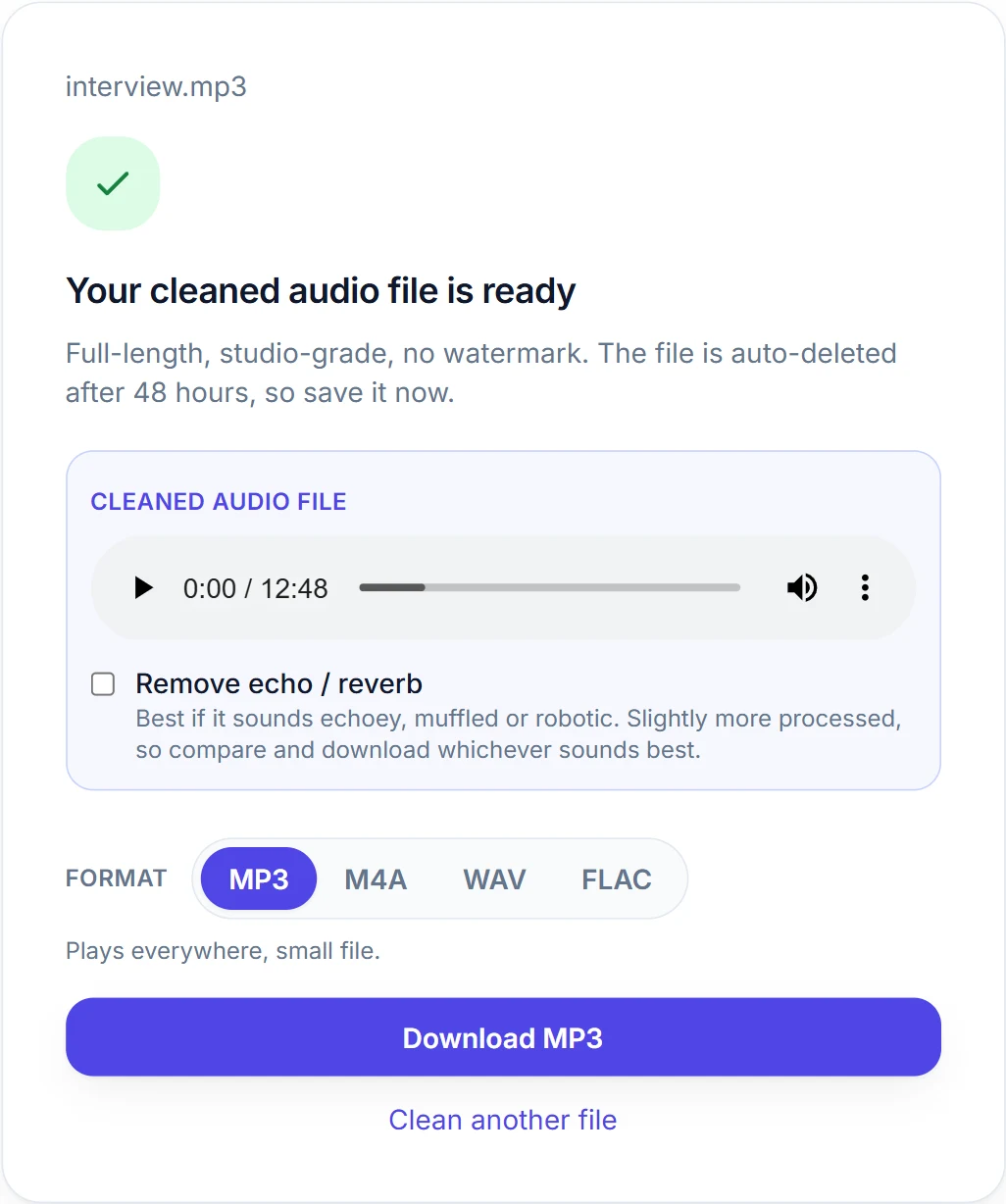
Your file is uploaded only to produce the cleaned result and is deleted within 48 hours. The preview is free with no sign-up; the full-length download is $0.99 per file, or included in CleanNoise Pro.
Everything to clean up your sound
Frequently asked questions
Hear your audio clean, free
No sign-up to try. Drop a file, hear the difference in seconds, and pay only if you want the full download.